Overview
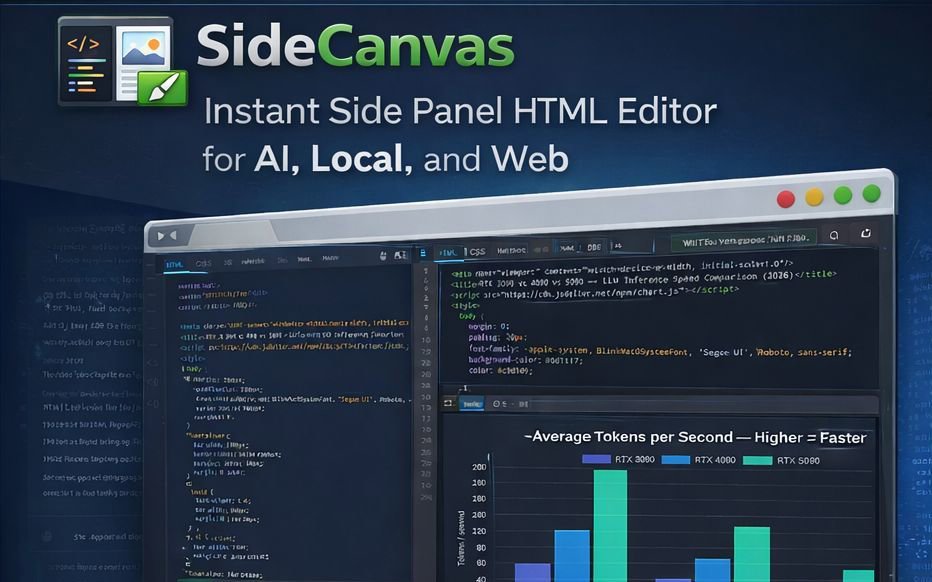
SideCanvas is a lightweight code editor that runs directly in your browser as a Chrome extension. Write HTML, CSS, and JavaScript in a tabbed editor and see your results instantly in a live preview pane.
Perfect for:
• Testing code snippets from AI assistants or tutorials
• Quick prototyping without spinning up a dev environment
• Learning web development with immediate feedback
• Debugging small code samples
Key features:
• Three-tab editor with syntax highlighting (CodeMirror 6)
• Instant live preview with console output capture
• Works in Chrome's side panel or as a full-page editor
• Dark and light themes
• Auto-saves your work
• Paste full HTML documents with embedded CSS/JS
• Support for external CDN libraries (Chart.js, jQuery, Bootstrap, etc.)
Privacy-focused: All code stays local in your browser. No accounts, no tracking, no data sent anywhere.
Why I Decided to Make This
I got tired of using AI websites that generated code but failed to generate a canvas where I can edit the source and see it run in the browser. This tool gives me that functionality whether the AI website does or not, and it's useful for any kind of generic HTML/CSS/JS quick editing.
Privacy Policy for SideCanvas
Privacy Policy for SideCanvas
Last Updated: January 18, 2026
Overview
SideCanvas is a browser extension that provides an HTML/CSS/JS code editor with live preview. This privacy policy explains how SideCanvas handles your data.
Data Collection
SideCanvas does not collect any personal data.
We do not collect, store, or transmit:
• Personal information
• Browsing history
• Usage analytics
• Cookies or tracking data
• IP addresses
• Any other user data
Data Storage
SideCanvas stores data locally on your device only.
This includes:
• Your code: HTML, CSS, and JavaScript you write in the editor
• Your projects: saved project names and content
• Your preferences: theme settings, editor preferences, and UI state
This data is stored using Chrome's local storage API (chrome.storage.local).
The data never leaves your device, is not transmitted to any server, is not accessible to us or any third party, and is automatically deleted when you uninstall the extension.
Data Sharing
We do not share any data with anyone.
SideCanvas does not:
• Send data to external servers
• Use analytics services
• Include advertising
• Share data with third parties
External Resources
When you explicitly enable External Scripts or add CDN libraries such as jQuery or Bootstrap, your browser may load resources from third-party CDN servers.
This is only triggered by your explicit action, is disabled by default for security, and is subject to those third parties' privacy policies.
SideCanvas itself does not control or monitor these requests.
Permissions
SideCanvas requests only the permissions necessary to function.
• storage: save your code and preferences locally
• sidePanel: display the editor in Chrome's side panel
We follow the principle of least privilege and only request permissions essential for functionality.
Children's Privacy
SideCanvas does not knowingly collect any information from children under 13 years of age.
Changes to This Policy
If we make changes to this privacy policy, we will update the Last Updated date above. Continued use of the extension after changes constitutes acceptance of the updated policy.
Contact
If you have questions about this privacy policy, please contact us at:
MikesTools.io
https://MikesTools.io
Summary
• We collect nothing
• We store your code locally only
• We share nothing
• We track nothing
• When you uninstall, everything is deleted
Your privacy is fully protected when using SideCanvas.